Flex Query connection
Connect an IBKR Flex Query using its report token and Query ID. Weezpr does not require your IBKR login password.

Interactive Brokers + Weezpr
Connect an IBKR Flex Query, use Sync now for supported stock and options activity, and turn imported executions into a clearer review workflow across trades, days, analytics, and discipline.
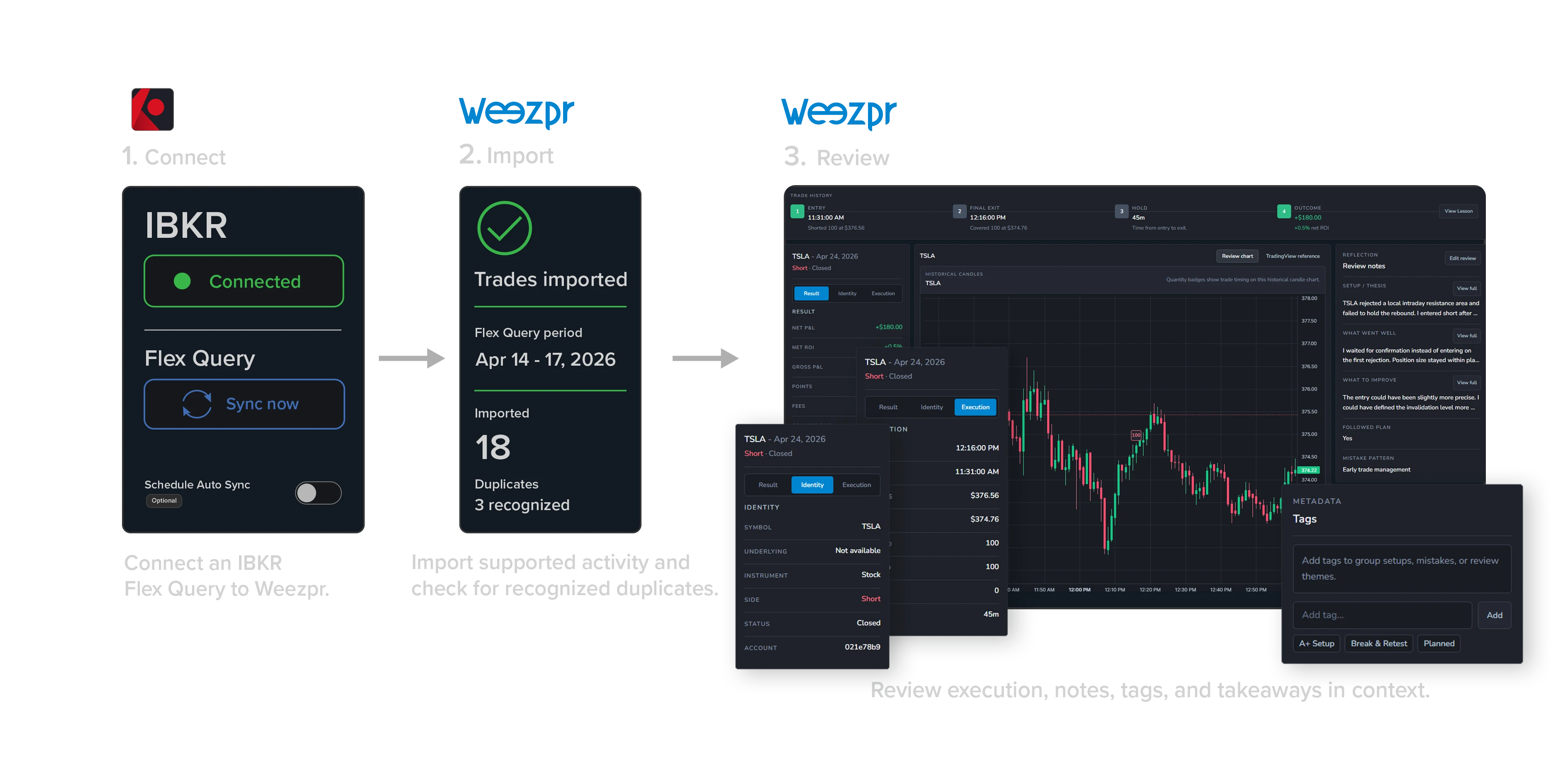
IBKR support at a glance
Connect an IBKR Flex Query using its report token and Query ID. Weezpr does not require your IBKR login password.
Review supported Interactive Brokers stock and options activity inside Weezpr.
Use Sync now when needed, or opt in to scheduled Auto Sync for an eligible configured Flex connection in private beta.
Supported imported activity can flow into Trades, Calendar, Analytics, Trade Review, Day Review, and Discipline Tracker.
From activity to review
IBKR activity provides the execution data. Weezpr organizes supported imported activity into a review workflow that adds structure and context around what happened.
See the trade review processStart with supported execution data supplied through Interactive Brokers activity reporting.
Weezpr organizes supported imported activity into a clearer trade and execution workflow.
Review imported activity across Trades, Calendar, Analytics, Trade Review, Day Review, and Discipline Tracker.
Broker statements remain the source of record for brokerage and tax information.
IBKR connection & sync
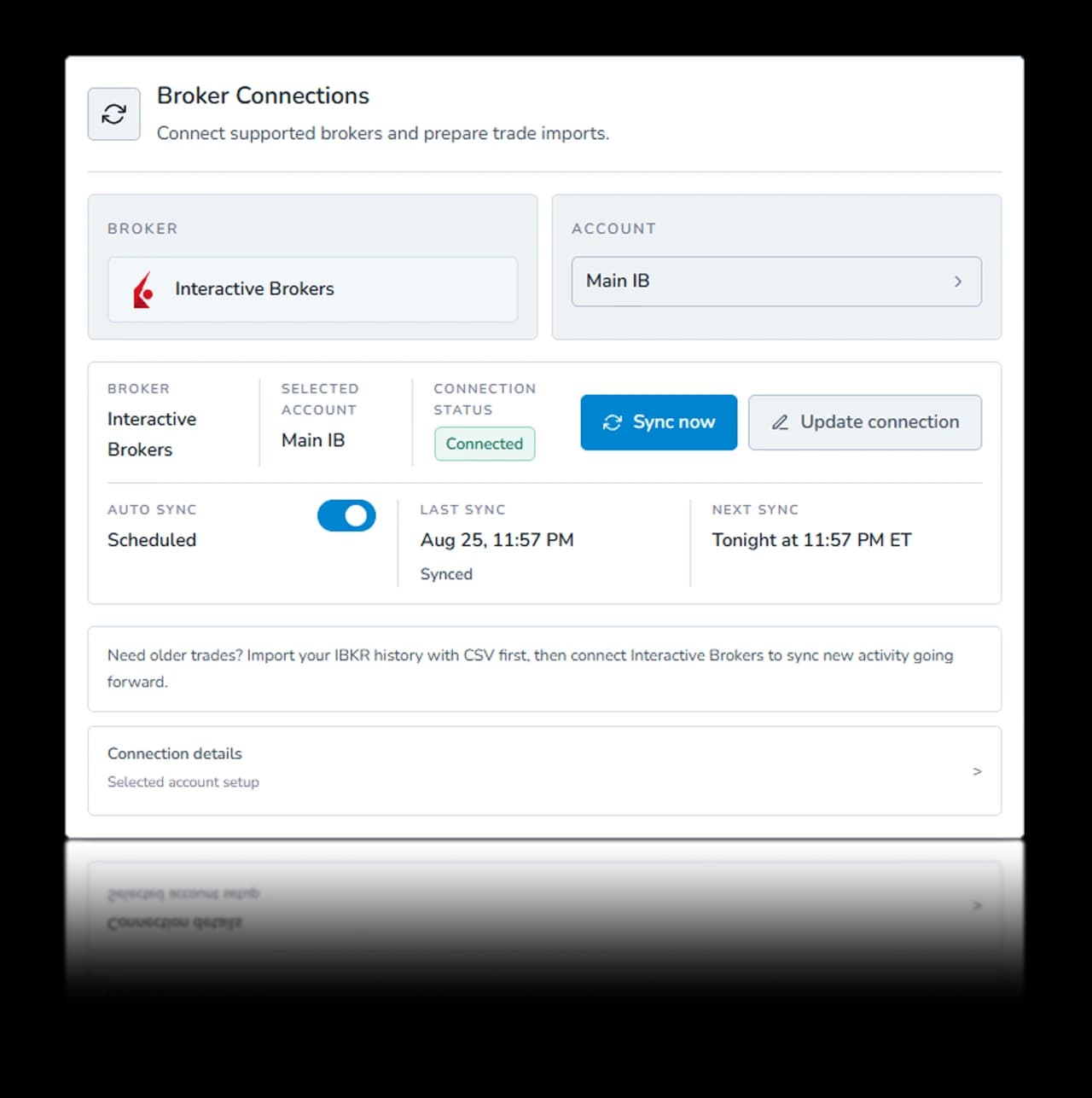
Connect Weezpr through an IBKR Flex Query using its report token and Query ID. Your IBKR login password is not required.
Run Sync now when you want to check a configured Flex connection for available activity.
Eligible private-beta users can opt in to scheduled checks. Connecting alone does not enable Auto Sync.
Older history
Start with supported IBKR CSV or TradeLog files for the historical activity you want available in Weezpr.
Confirm your supported imported history in Weezpr before moving to the connected workflow.
Then connect an IBKR Flex Query for Sync now and optional scheduled Auto Sync for supported newer activity.
History coverage depends on the supported file data and the date range returned by your configured IBKR Flex Query.
Review supported import optionsImported detail
Supported IBKR imports can preserve useful execution detail for review when those fields are supplied by IBKR.
Supported stock and options activity can retain symbol or instrument context, side, quantity, timestamps, and execution prices where IBKR supplies them.
Commissions or fees and currency are retained where IBKR supplies them.
Supported option activity can include underlying, expiry, strike, call/put type, and multiplier where IBKR supplies them.
Executions to trades
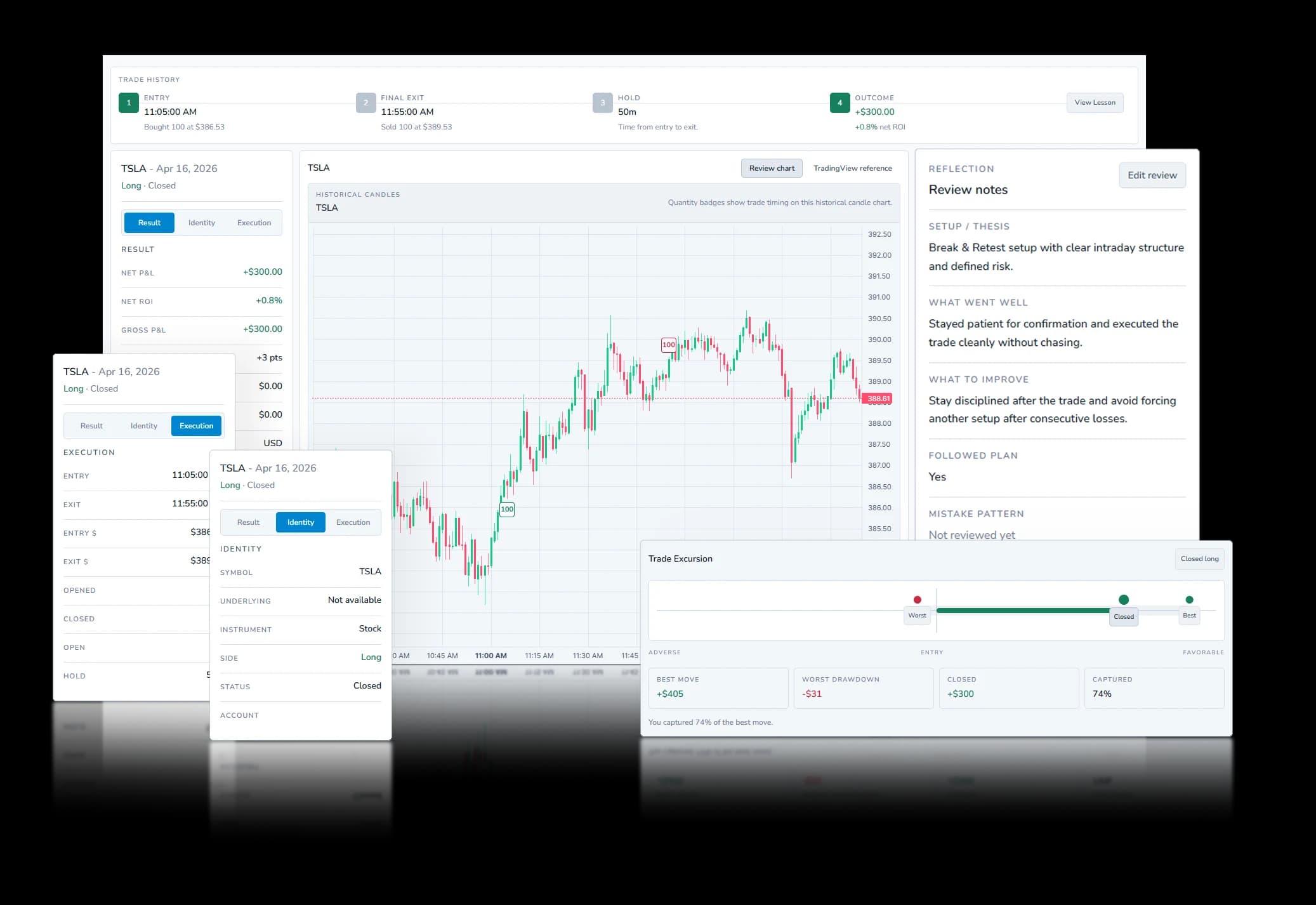
Interactive Brokers activity arrives as executions. Weezpr can organize supported executions into a reconstructed trade lifecycle so entries, adds, exits, and outcomes can be reviewed together.
When supported execution history is incomplete or ambiguous, Weezpr can surface warnings instead of forcing a trade reconstruction.
See how Trade Review works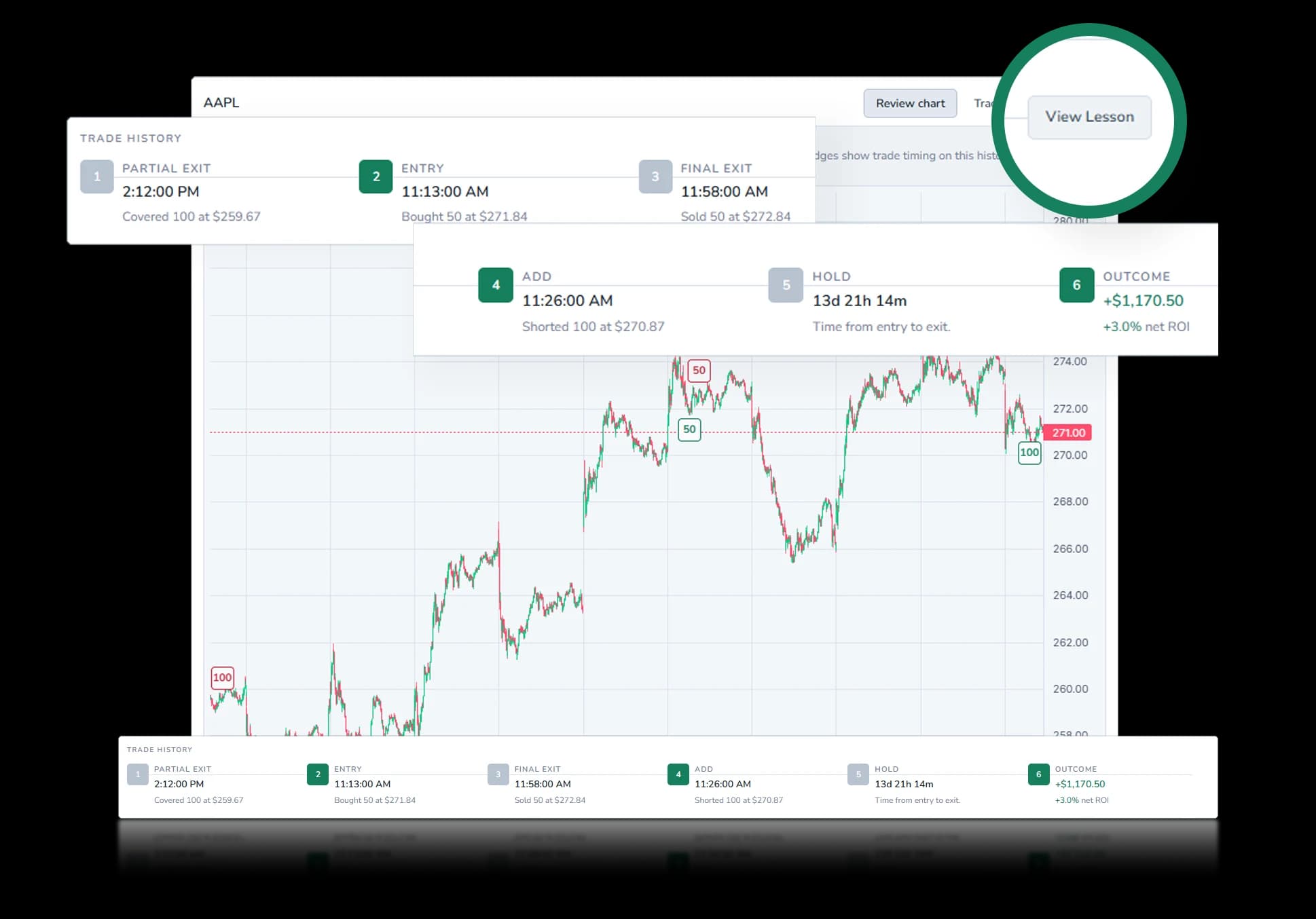
Supported entries, partial exits, adds, and final exits can contribute to the same reconstructed trade lifecycle.
Where applicable, partial fills can remain visible as separate execution events instead of being hidden inside one summary row.
Weezpr uses supported execution data to reconstruct trade lifecycles using FIFO logic for review.
Options review
Weezpr supports imported Interactive Brokers options activity at the contract level, preserving the option identity and execution context needed to review the trade.
This creates a clearer Interactive Brokers options trading journal workflow, keeping the contract and the decision together when reviewing imported options trades after execution.
Two options on the same underlying can have different strikes, expirations, and call/put sides. Weezpr keeps the imported contract identity beside the review so you can evaluate the execution you actually took, not just the underlying symbol.
Use the underlying chart for market context while keeping the option contract, entry and exit prices, fees, and hold time attached to the trade review.
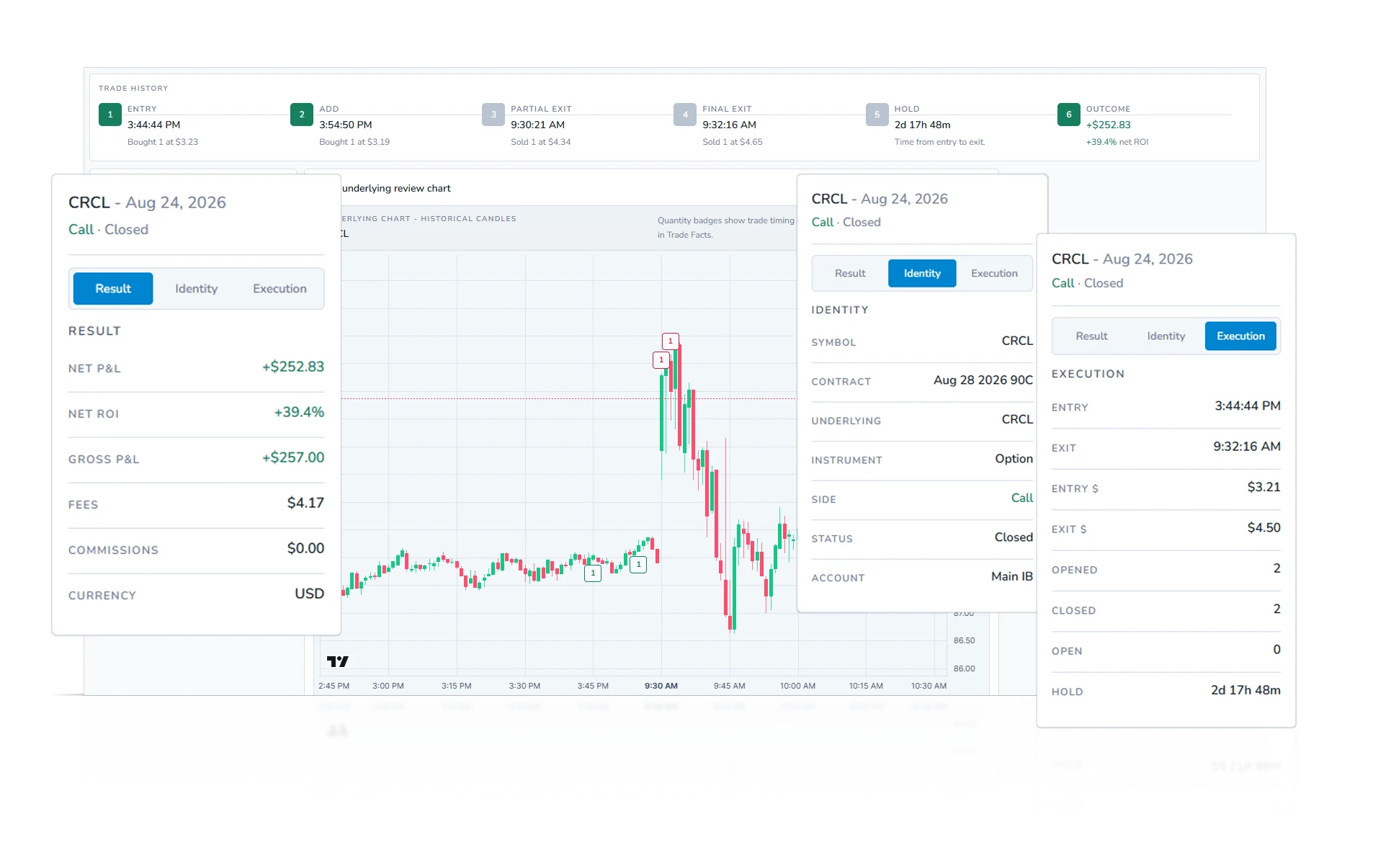
Supported option activity can include underlying, expiration, strike, call/put type, and contract identity. This helps distinguish the specific option contract from the underlying symbol alone.
Review entry, exit, quantity, hold time, execution prices, fees, and currency when those fields are supplied by IBKR. Together, they help show how the option trade was opened, managed, and closed.
Use notes, tags, chart context, and takeaways to review the decision around the option trade. This connects the setup, execution, and lesson in one post-trade review.
Weezpr reviews supported option contracts individually. It does not currently reconstruct multi-leg spreads or automatically classify options strategies.
Explore the Trade Review workspacePrivate beta
Request access to connect a supported IBKR Flex Query, use Sync now, and review supported stock and options activity in Weezpr. Scheduled Auto Sync is available for eligible configured connections in private beta.