Daily performance
- Daily net P&L
- Win rate by day

Calendar + Day Review
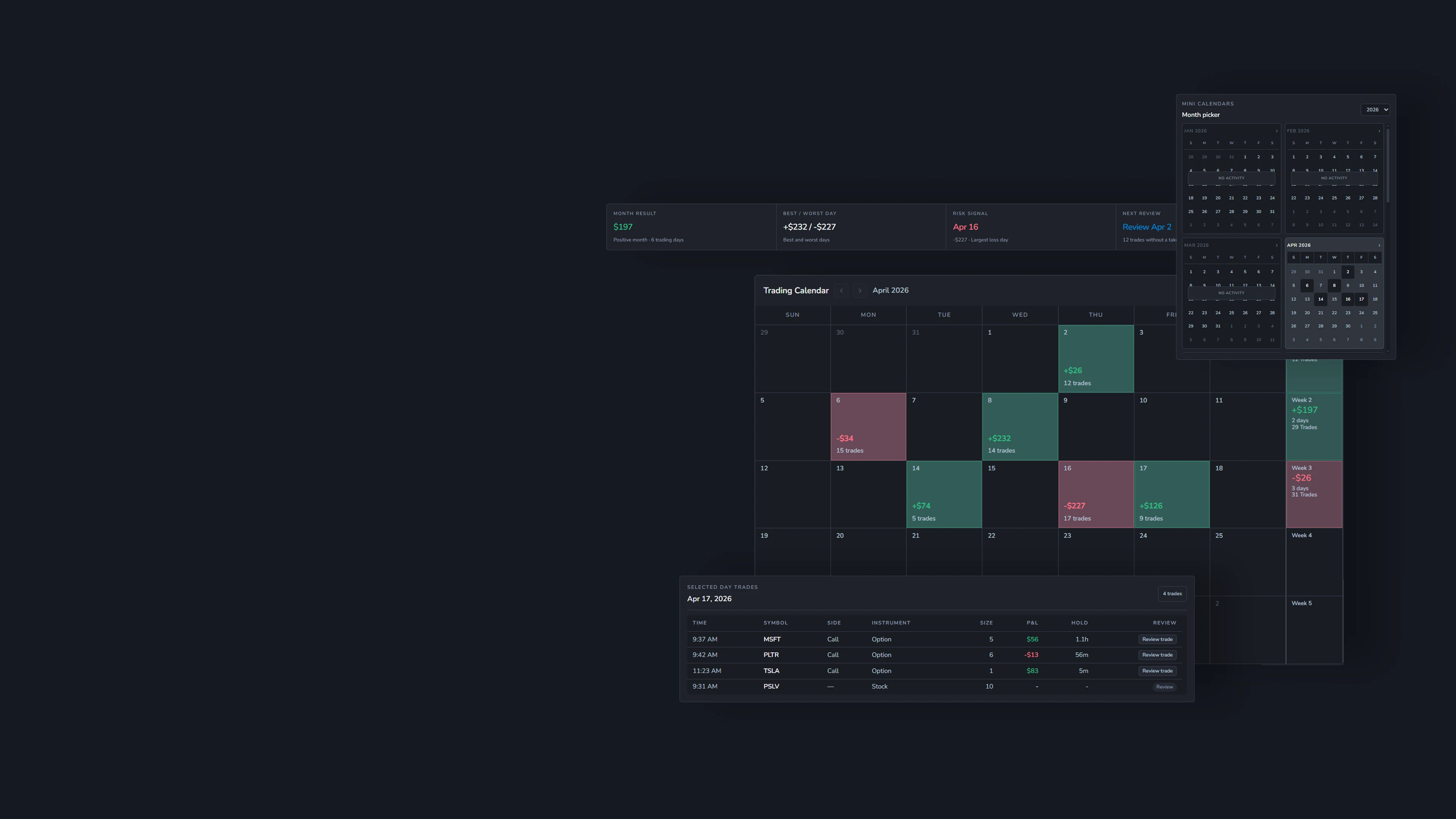
See daily P&L, trade activity, notes, and review status in a calendar built from your own trading journal data, then open each active day for Day Review.
Daily context
A useful daily trading review needs more than one trade result. It needs the rhythm of the session, the decisions that stacked up, the day note, and the trades behind the final number.
Which days actually helped your week?
What happened before the red day?
Did you leave a note before moving on?
What you can review
Use Calendar to understand each trading day in chronological context, then open Day Review for its trades, notes, and review follow-through.
See how Calendar fits into the Weezpr trading journal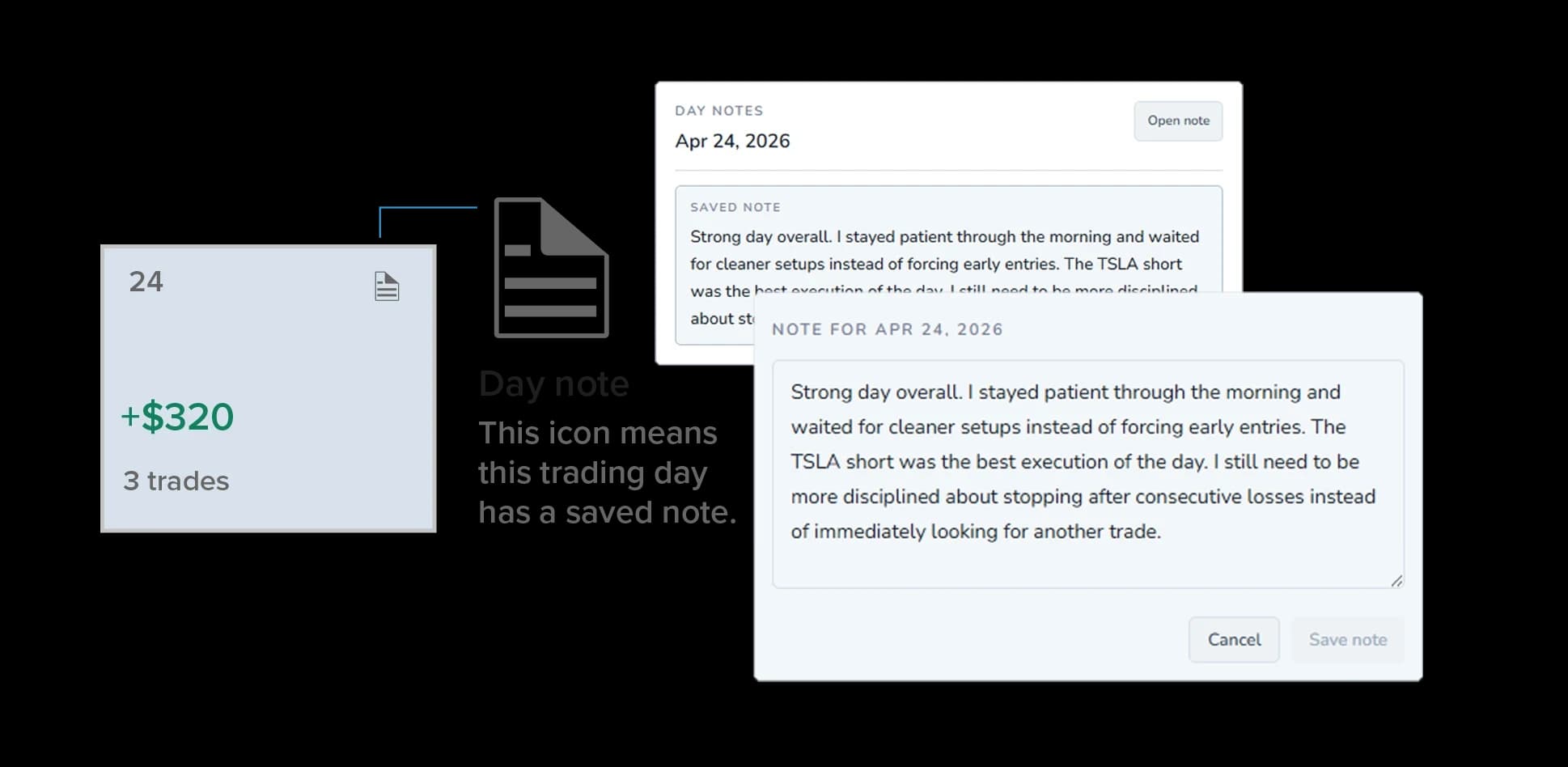
Calendar notes
A trading journal calendar should keep written context close to the day it belongs to. Saved Day Notes can be visibly marked on calendar dates, so the note icon helps you quickly identify trading days with saved-note context in your daily trading journal.
Revisit the date to open or add its note from the Calendar context. Notes can also exist on dates without trading activity, keeping observations alongside the trading history context for that date.
Month picker
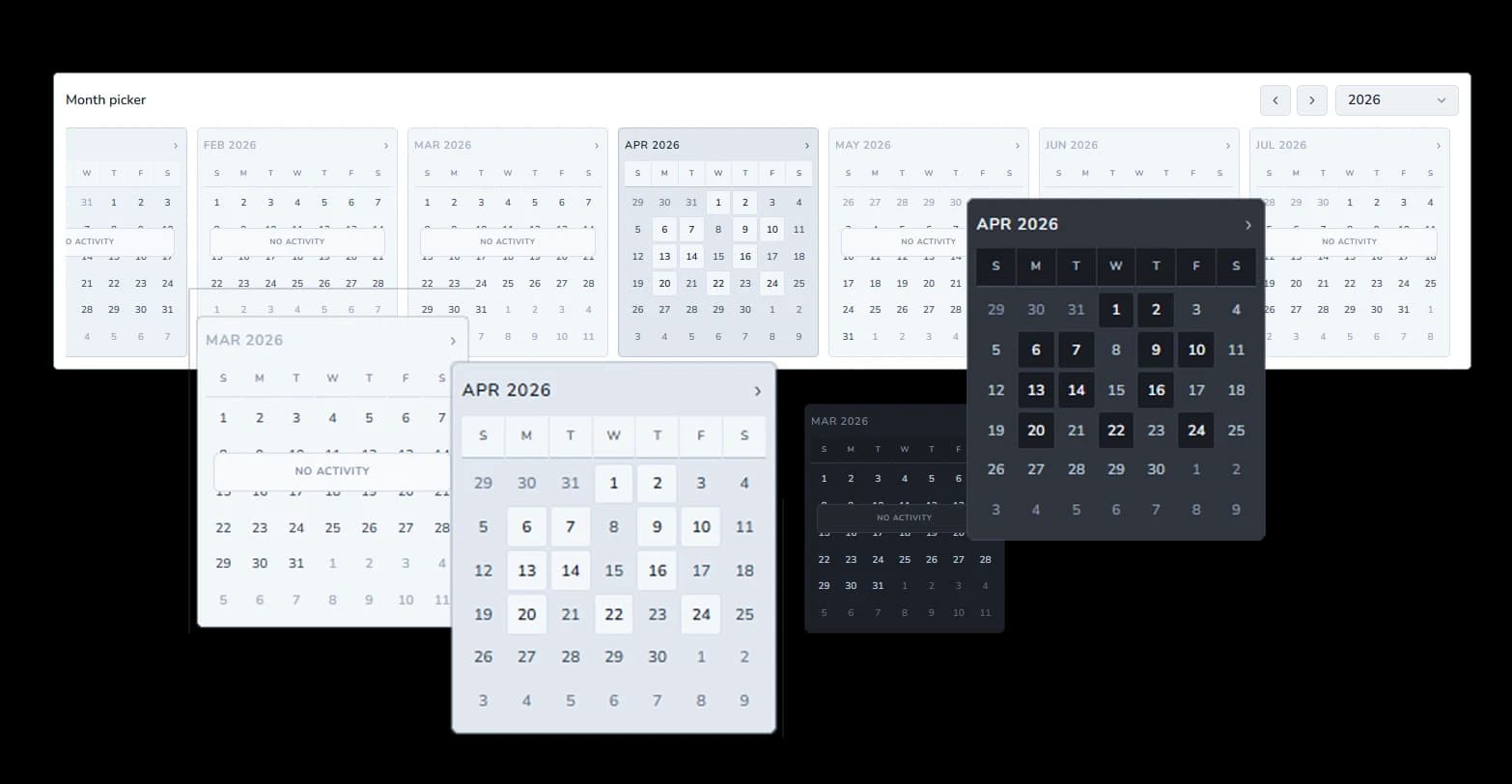
The month picker keeps several months visible at once, making it easier to choose a month, scan where activity exists, and review past trading days without losing your place in the trading journal calendar.
For traders revisiting their journal over time, it creates a faster path through trading history and a more deliberate monthly trading review.
Trading calendar
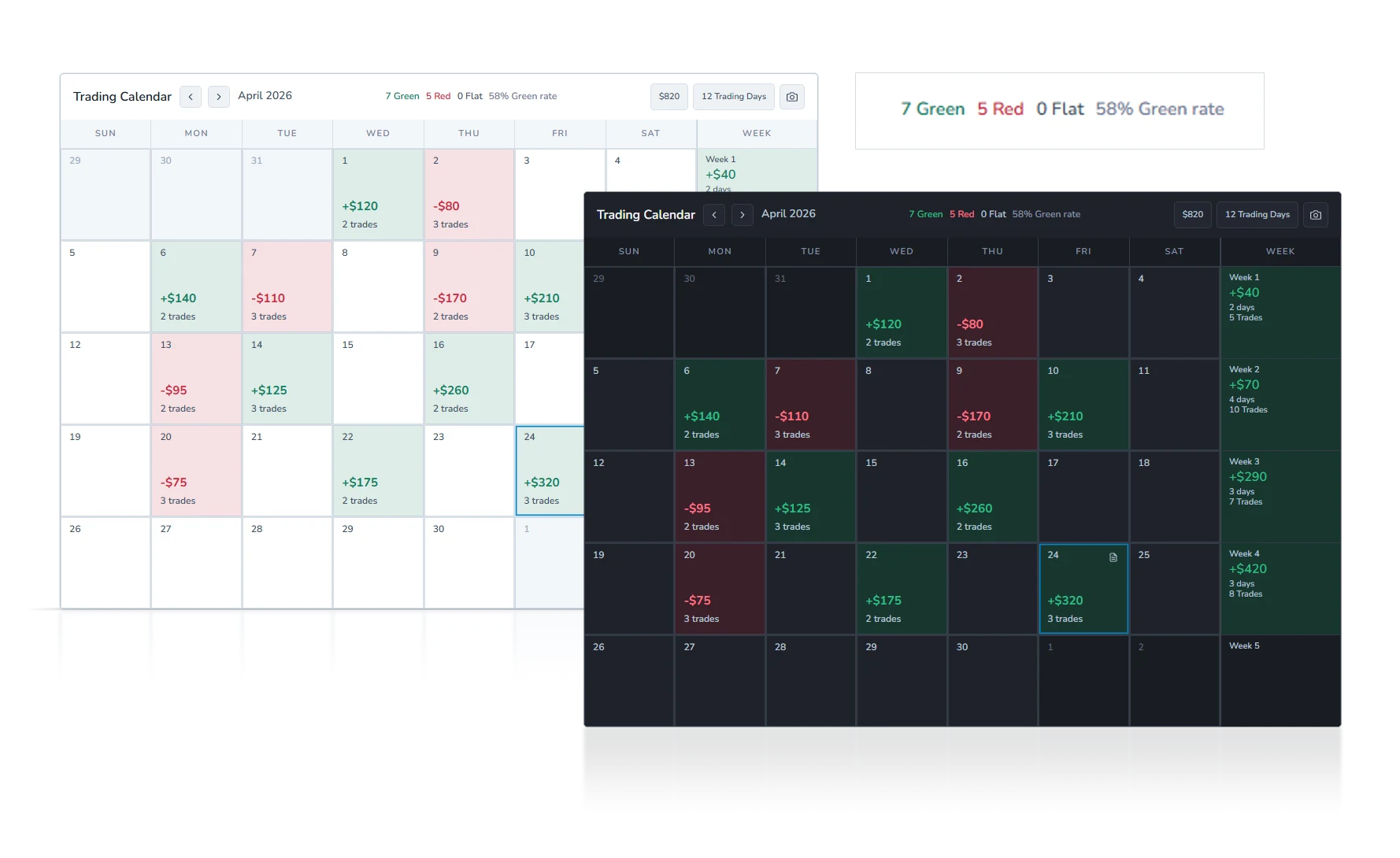
The main calendar view turns trading journal data into monthly trading performance context. Each date can show daily P&L and trade count, while green, red, and flat days make the shape of the month easier to scan.
Saved-note indicators keep Day Notes visible on their dates. Support for surfacing high-impact market events and news in this view is planned and is not presented as live today.
Monthly summary
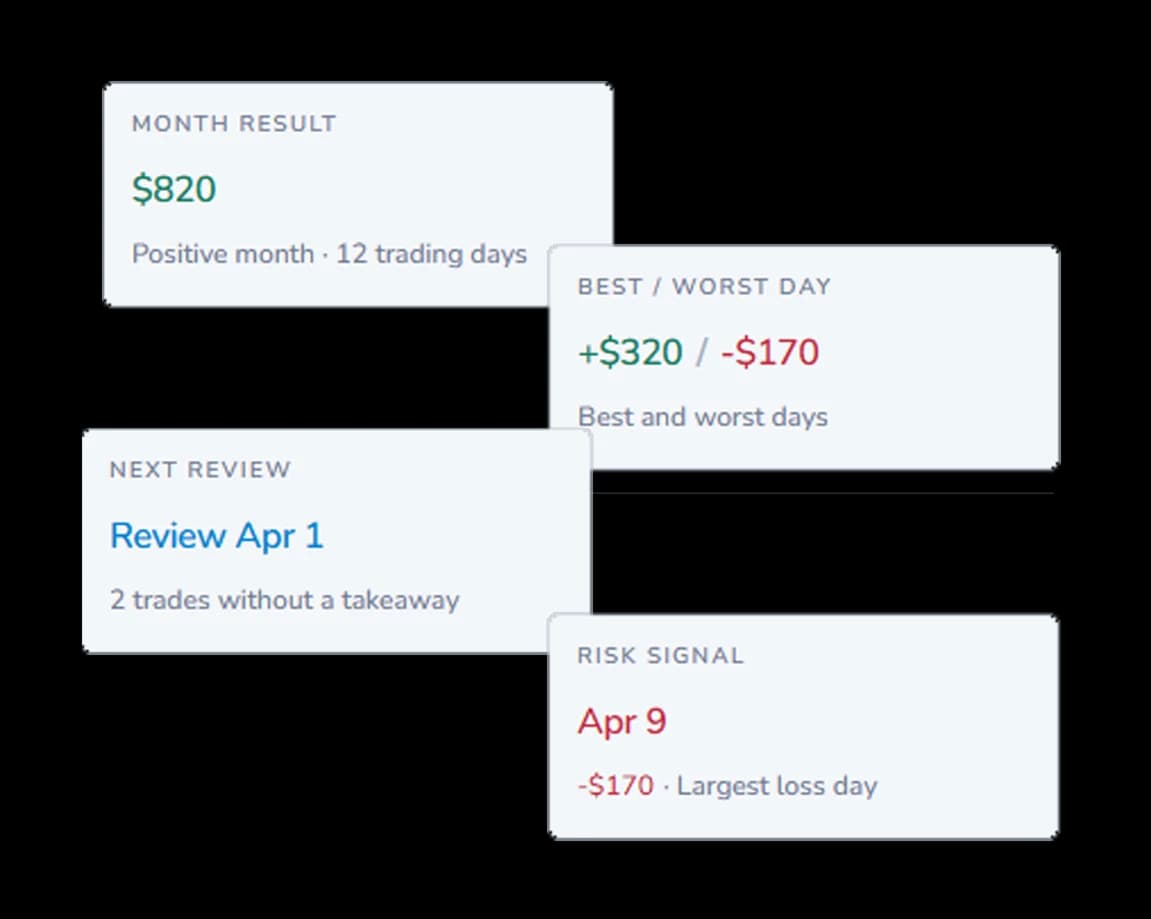
Monthly Summary condenses the month result, best and worst day, risk signal, and next review into a focused monthly trading review. It helps identify where the month deserves a closer look before opening an individual date.
Day Notes and Plans, including the Day Plan, keep written context attached to the date and help explain the selected day beyond its final P&L.
The area may show that no confirmed market events are loaded for the day, so event context is not overstated when none is available.
Selected day trades
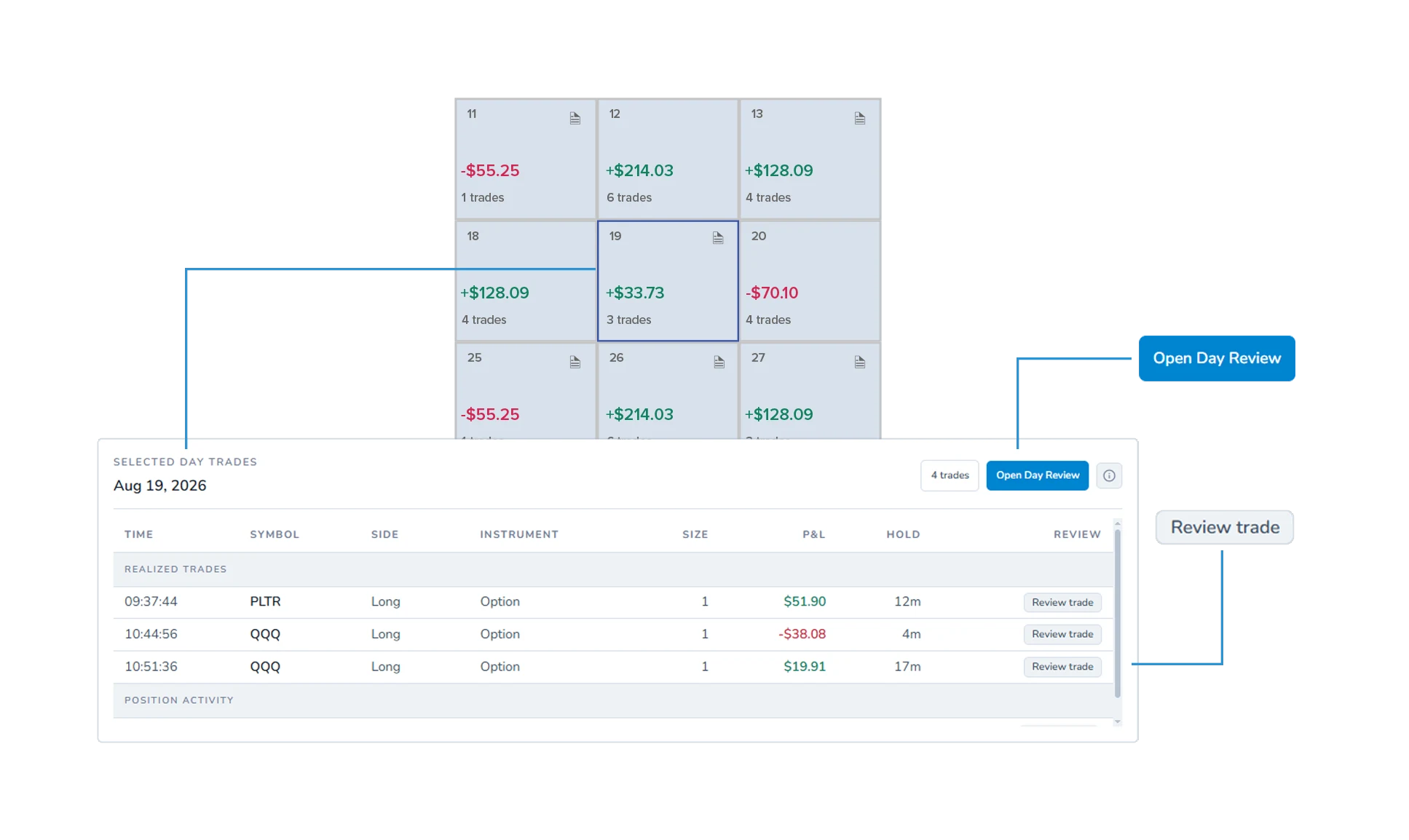
Selecting a trading day reveals its trade list, where realized trades and position activity can be visible with fields such as symbol, side, instrument, size or quantity, P&L, and hold time.
Review selected day trades
Inspect the realized results and activity attached to one date.
Review an individual trade
Use direct Review Trade actions where they are available.
Open Day Review
Step into the complete trading day review workflow for deeper context.
Day Review + comparison
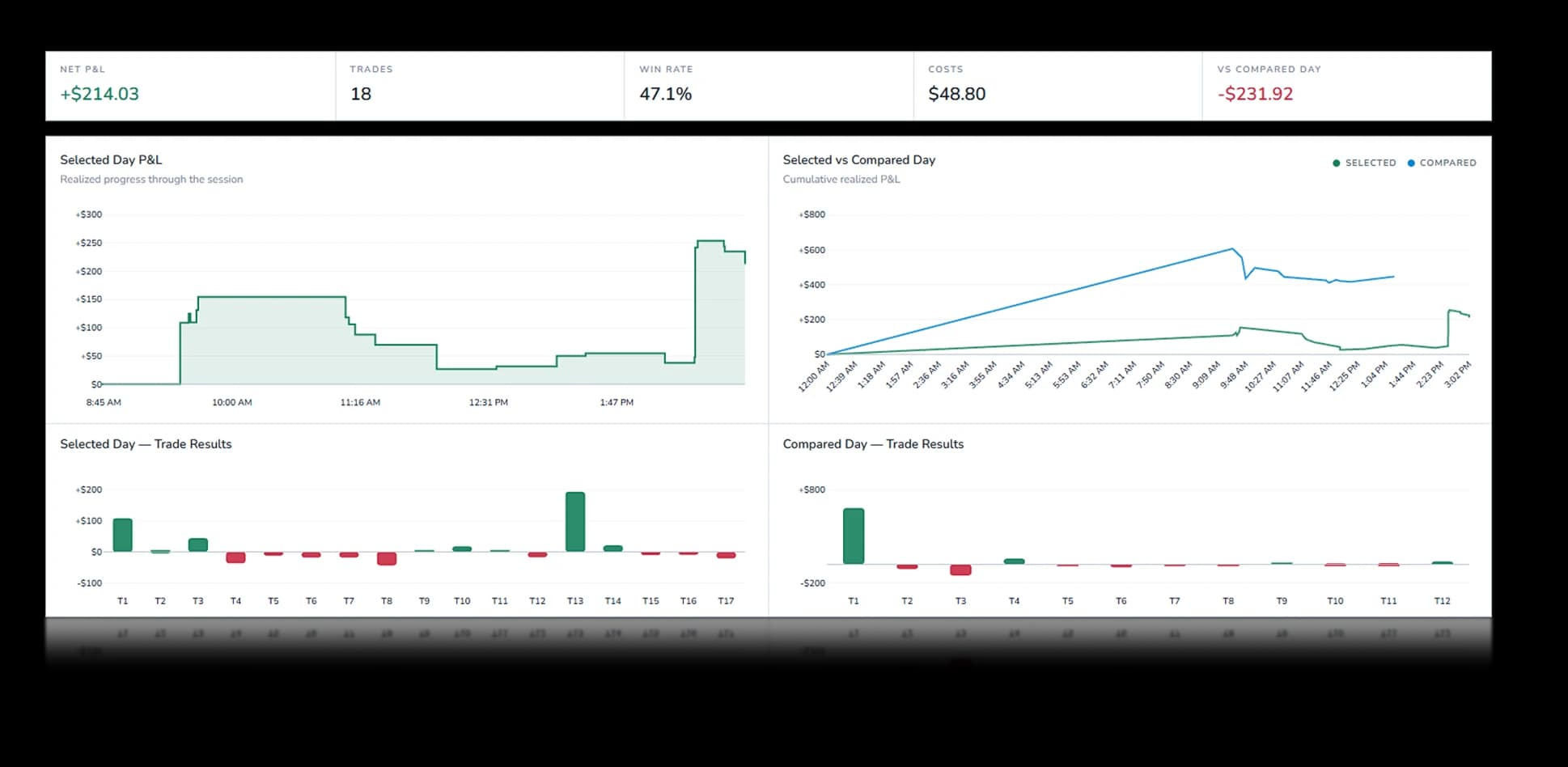
Calendar helps you find the day. Day Review lets you examine the complete session and compare it with another active trading day from the same account.
Day Review brings selected-day net P&L, trade count, win rate, trading costs, cumulative realized P&L through the session, and realized trades together with the Day Plan, Day Note, tags, and direct Trade Review links where available.
Compare P&L delta, trade counts, trading costs, cumulative realized P&L progression, and individual realized trade results across two active days from the same account. A green or red result tells you what happened. The trading day comparison helps show what differed between the two sessions.
Review posture
Weezpr does not provide trade signals or financial advice. It gives you a cleaner way to review your own trading days, notes, activity, and outcomes.
Private beta access is limited while we improve Weezpr with real users.